








Adapt attendee communications by language while retaining the protected layout and required variables.
Before you start
- Confirm the primary Attendance language.
- List only audience languages you can maintain.
Keep the global structure
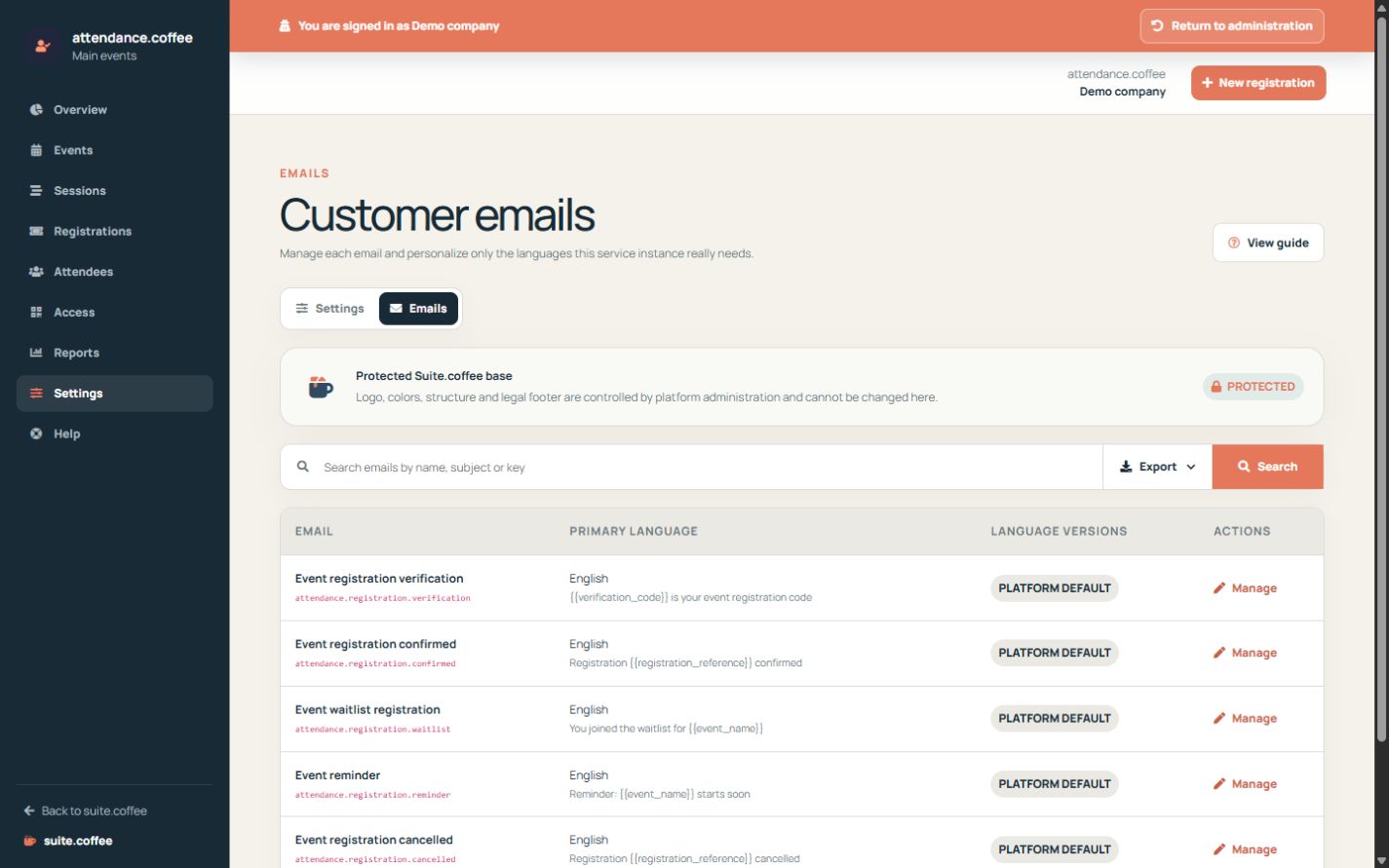
Attendance uses the protected Suite email layout. You can customise the sender and message content for each notification without breaking the common visual base.
Work by language
Edit the primary language first, then add only the language versions your audience needs. Preview variables and retain required placeholders.
Step by step
- Open Emails from Attendance.
- Choose confirmation, waitlist, reminder or cancellation.
- Review sender and primary-language content.
- Add only the translations the audience needs.
- Preview attendee, event, dates, pass and secure links.
Final check
- Required variables remain present.
- The message matches the workflow state.
- Every maintained language was reviewed.
Tip: Reset an outdated translation when inheriting the protected platform version is safer.