










Test the attendee journey in every published language before sharing the event link.
Before you start
- Publish the portal and event with active passes and sessions.
- Use an email able to receive the verification code.
Register against live capacity
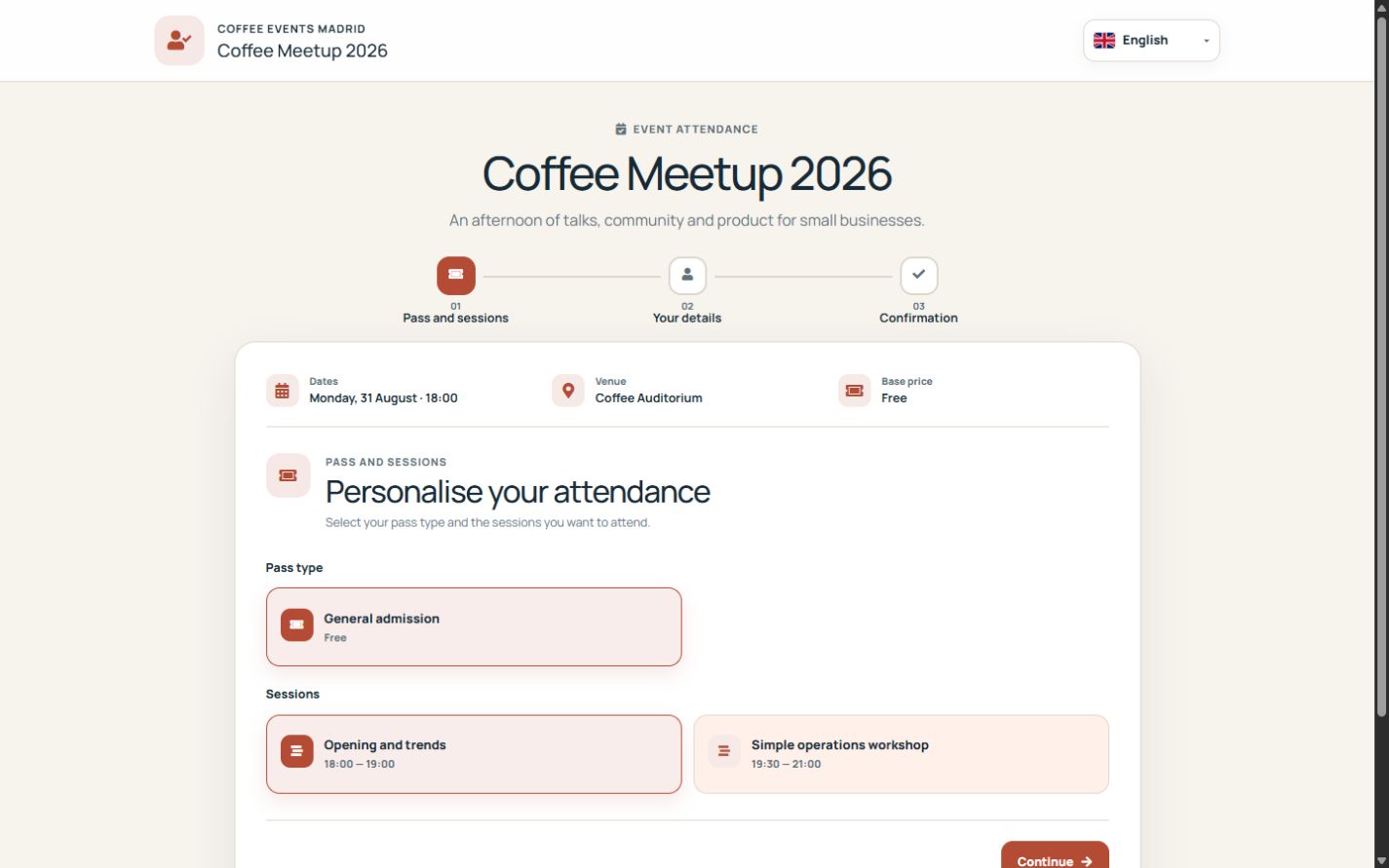
The public page offers active pass types and sessions that belong to the published event. It checks registration dates, capacity and waitlist rules again when the request is confirmed.
Verify the exact request
A six-digit email code is tied to the attendee, event, pass and selected sessions. The registration is not created until that request is verified.
Use the secure management link
The attendee receives a pass and a private link to review status or cancel when allowed. That token grants access only to the registration; it is not a Suite account.
Step by step
- Open the event public link.
- Choose the pass and optional sessions.
- Enter attendee contact details.
- Request and enter the six-digit email code.
- Confirm, open the pass and test the secure management link.
Final check
- Unavailable options cannot be selected.
- Verification applies to the exact request.
- The management token exposes only one registration.
Tip: Repeat the complete journey on a phone and in every language offered to attendees.