








Create the event as a coherent public product with dates, venue, capacity and registration window.
Before you start
- Prepare venue, schedule and capacity.
- Decide when registration opens and closes.
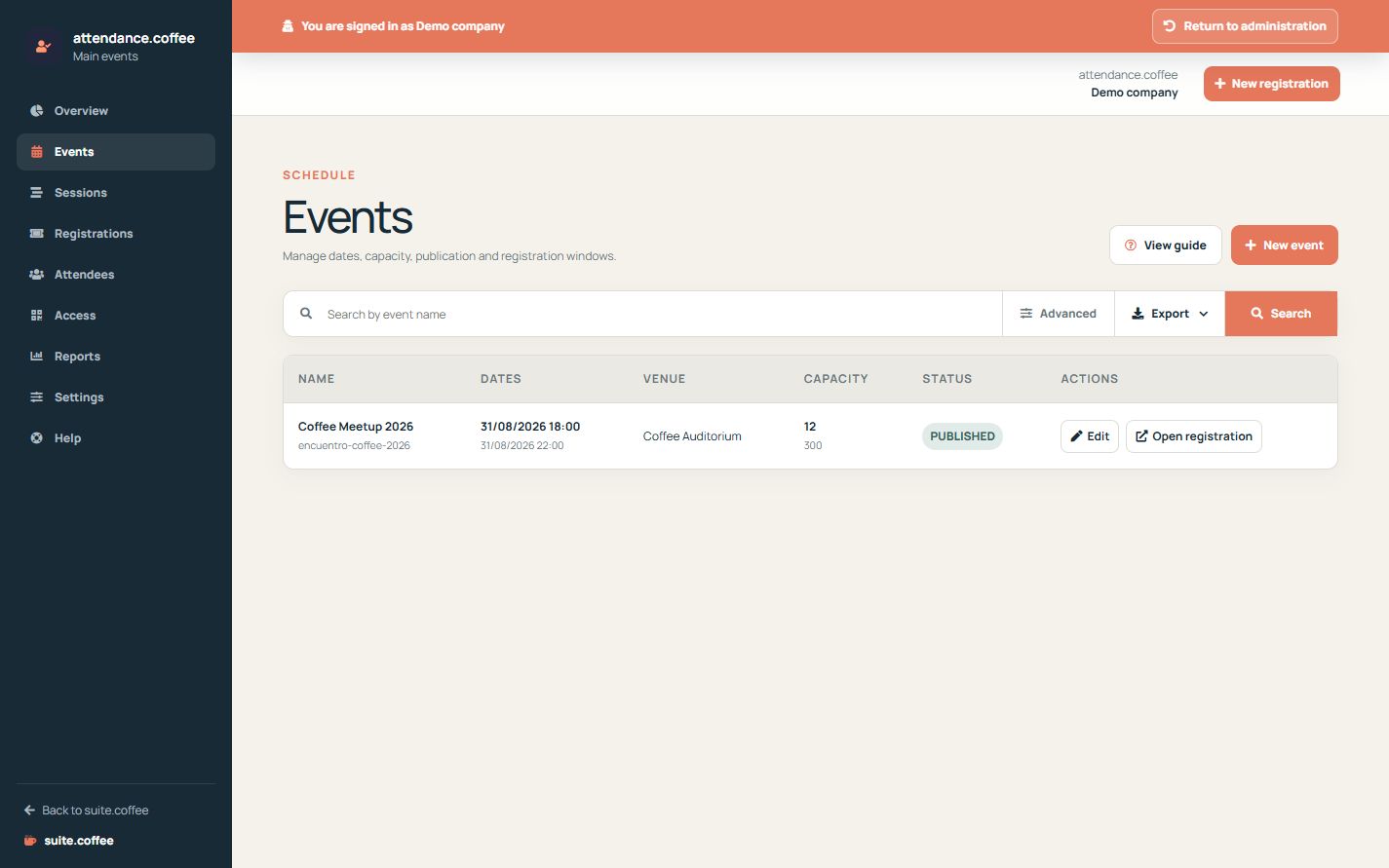
Create the event
Enter a clear name, venue, start and end times. Add capacity when attendance must be limited.
Control publication
Keep the event as a draft while preparing sessions and pass types. Publish it only when its public information and registration dates are ready.
Review dates
Registration opening and closing must fit the operational plan. The event timezone comes from Attendance settings.
Step by step
- Open Events and choose New event.
- Enter name, venue, description and schedule.
- Set capacity, price and registration dates.
- Enable waitlist and public registration when applicable.
- Keep as draft until sessions and pass types are ready, then publish.
Final check
- End follows start and registration closes on time.
- Capacity matches the real venue.
- The public link shows complete information.
Tip: Publish only after testing the complete registration and email journey.