










Prepare each validation point and operate admissions with an auditable allowed or rejected result.
Before you start
- Publish the event and issue valid passes.
- Define where, when and in which direction access is checked.
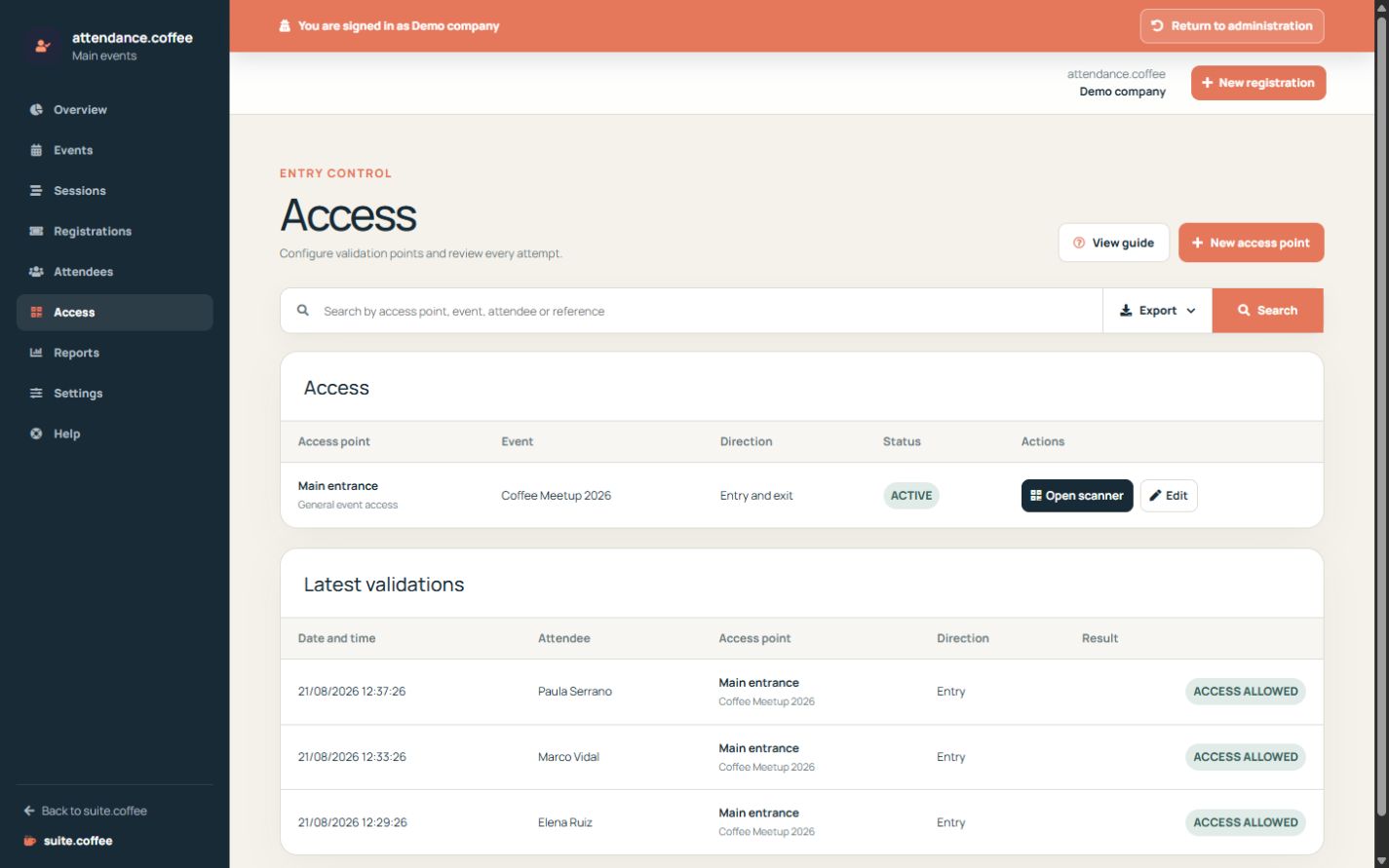
Create an access point
Link it to the complete event or to a session, choose entry or exit direction and define the valid time window.
Validate a pass
Open the access station and enter or scan the credential available to the station. The system checks event, session, validity, direction and remaining uses before authorising it.
Keep the audit trail
Every accepted or rejected attempt is recorded. Do not reuse credentials or bypass a rejection without verifying its reason.
Step by step
- Open Access and create a point.
- Choose event, optional session, direction and window.
- Open the scanner for the physical point.
- Scan or enter the pass code and confirm the result.
- Review rejected attempts before taking any manual action.
Final check
- The station matches the physical entrance.
- Accepted and rejected attempts are logged.
- Pass uses and direction update as expected.
Tip: Never bypass a rejection without checking event, session, validity, direction and previous use.