










Prepare the organiser identity, regional context and public rules before accepting registrations.
Before you start
- Confirm the public organiser details and contact channel.
- Choose the real timezone, language and registration model.
Complete the initial set-up
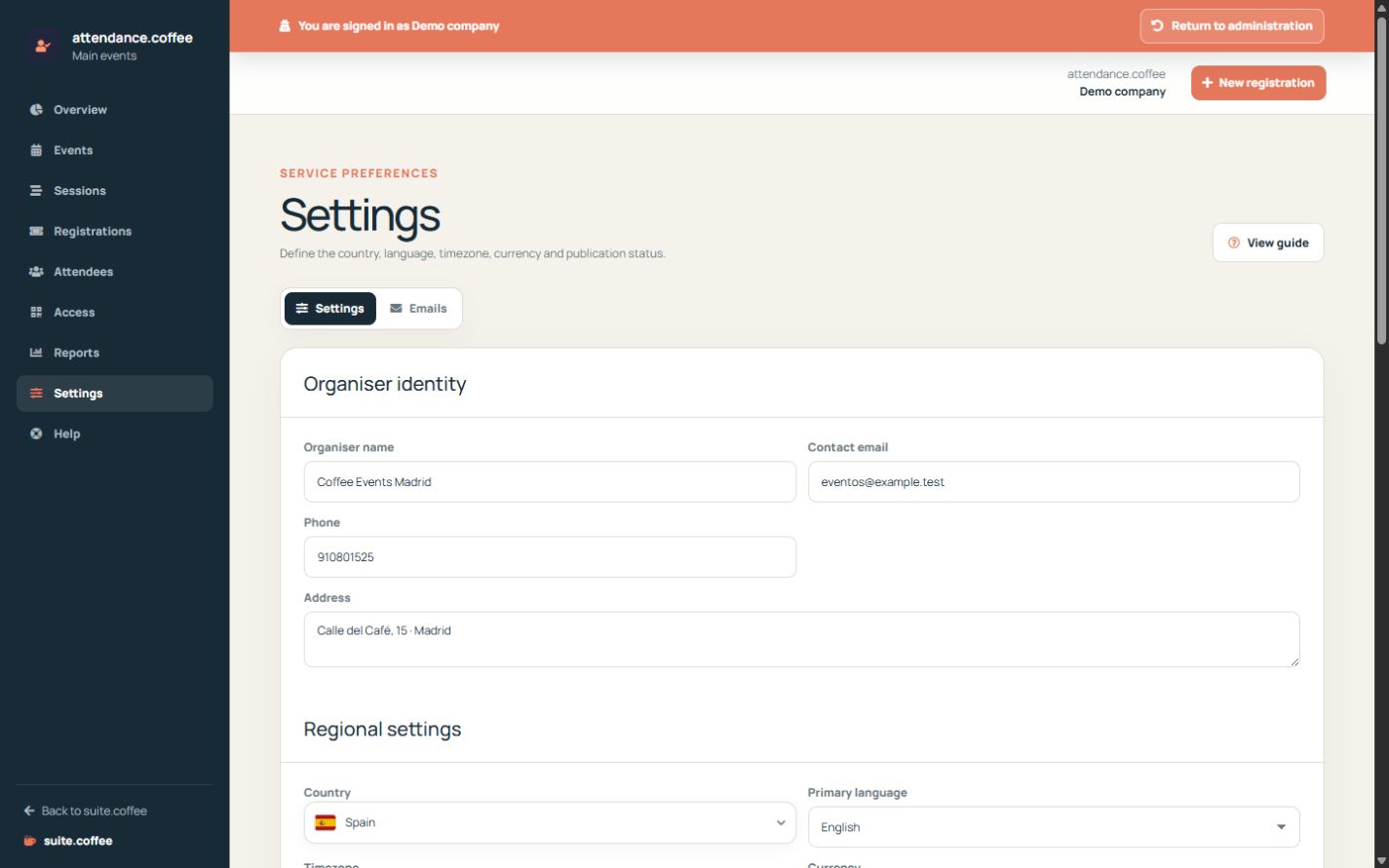
The assistant asks for organiser identity, timezone, currency and primary language. These values control public dates and communications.
Create a usable foundation
Add the first venue and event, then create an access point. You can refine sessions, pass types and email content afterwards from their dedicated sections.
Step by step
- Open Settings from Attendance.
- Review organiser name, contact and address.
- Confirm country, timezone, currency and primary language.
- Choose public, invitation or mixed registration.
- Set online cancellation and publish only after a complete test.
Final check
- Public dates use the intended timezone.
- Contact and regional values are correct.
- The portal is published only when an event is ready.
Tip: Manage Suite account, members and plan settings in Suite.coffee; this page applies only to Attendance.